OpenAI Launches Own Atlas Browser to Take on Google Chrome

© ChatGPT Atlas
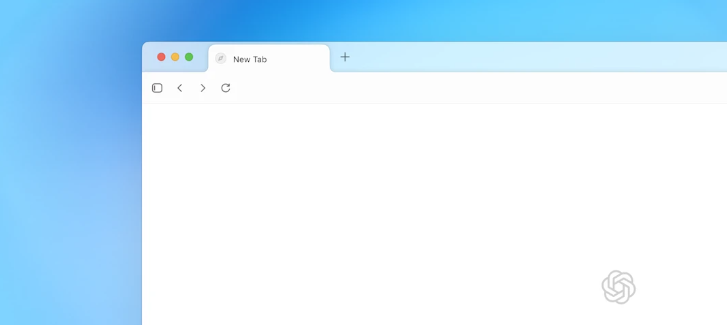
OpenAI has officially entered the web browser game with the release of ChatGPT Atlas, positioning itself as a competitor to Google Chrome.
The move is part of OpenAI’s strategy to make ChatGPT the central lens through which users navigate the web.
What Atlas Brings to the Table
- Built-in ChatGPT integration: Atlas isn’t just a browser with a chatbot sidebar — it embeds ChatGPT throughout your browsing experience. You can ask the AI about anything on a page, get summaries, or request it to perform tasks without leaving the tab.
- Agent mode: For users with premium access, Atlas introduces an “agent mode” where the AI can actively click, navigate, or interact on pages on your behalf, based on your prompts and browsing history.
- Initial platform: The browser is launching on macOS first. Windows, iOS and Android versions are in development.
- Competitive implications: By owning the browser layer, OpenAI may redirect traffic and ad revenue, challenging Google’s stronghold.
Opportunities, But Mounting Risks
What do we need to look forward to and what do we need to be aware of?
What Atlas Could Change
Atlas flips the typical web experience by positioning ChatGPT as the starting point for search, discovery, and task execution. Instead of switching between browser and AI, the two are unified. This integration may encourage users to rely more on AI summaries and less on traditional search and link-clicking, which could disrupt how web traffic flows and how publishers earn revenue.
Security & Safety Concerns
Atlas is already drawing scrutiny over potential vulnerabilities.
- Prompt injection risks: Researchers have flagged that malicious instructions could be embedded in web content (e.g., URLs or page elements) to manipulate the AI agent’s behavior.
- Unresolved security vulnerabilities: OpenAI has acknowledged that prompt injection is an “unsolved problem.”
- “Jailbreak” via URLs: Some tests show that malformed or disguised URLs can trick the browser into executing hidden commands.
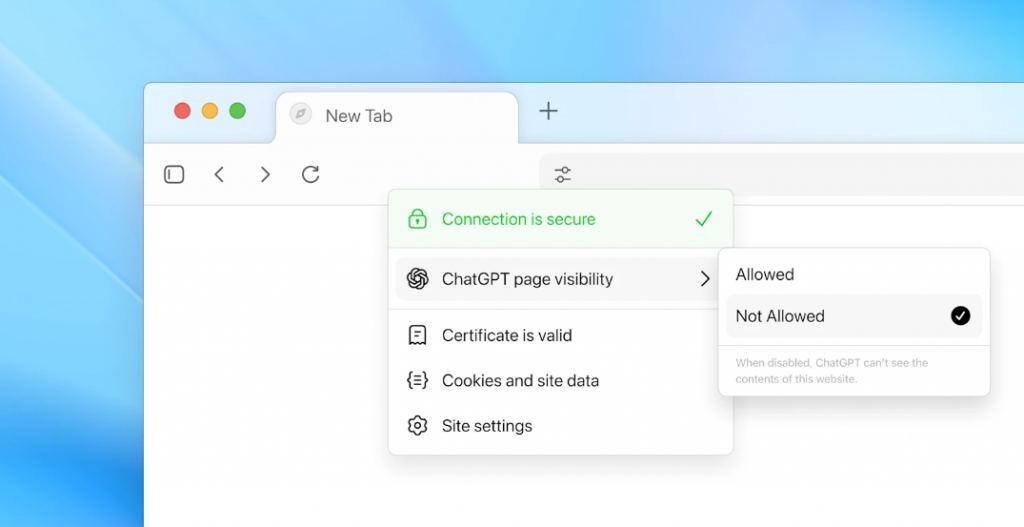
- Power and permissions: Because agent mode grants the browser broad access (clicking, navigating, interacting), misconfigurations or flaws could expose data or allow undesired automated actions.
Security researchers warn that any browser capable of acting autonomously must be designed with robust oversight, execution constraints, and clear user confirmation for riskier actions.
What to Watch
- Rollout to more platforms: Whether the Windows, iOS, and Android versions match the macOS features, and whether security flaws are patched across all.
- User adoption & trust: How many users will switch to Atlas, and whether trust issues over AI-led automation will slow uptake.
- Impact on web traffic & publishers: If users lean on AI summaries instead of clicking through links, traditional publishers and the ad economy could feel the effects.
- Regulation & legal pushback: As the boundary between browsing and automation blurs, regulators might tighten rules around agentic browsers, user data, and content summarization.
- How OpenAI handles safety: The early security issues will test whether OpenAI can build a browser people trust to handle sensitive tasks.
You might also want to read: 13-Year-Old Arrested After Asking ChatGPT How to Kill His Friend